How SweQR works

A QR code should outlive the page it points at. Here is the whole model — the fixed code identity, the editable destination, the safety checks, and what happens when a plan ends.

How it works

Three steps, then you can change your mind

A dynamic QR code points at a short link you own instead of at the destination itself. That one detail is what keeps a code you have already shared editable.

  1. Step 1

    Create your code

    Add a destination. We check it before it goes live and give you a short link you keep.

  2. Step 2

    Design & download

    Style the code in the studio, then export PNG or SVG for screens, packaging or signage.

  3. Step 3

    Change it later (paid)

    On a plan that includes destination editing, repoint the same code at a new page or offer. The code itself never changes.

Continuity

One code. Four destinations. No new code.

Menus, packaging and signage stay in the world for years. For an issued SweQR-hosted dynamic code, the printed code and short link stay the same while you update where they point.

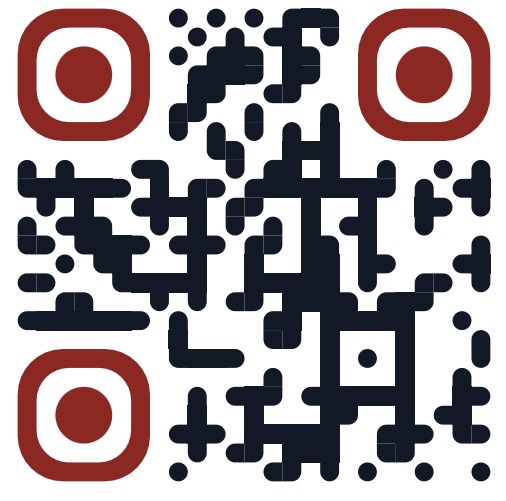
Example of an issued SweQR code

qrswe.link/aB3xK9d2

Issued once, stays the same
  • SpringSpring menu (PDF)changed
  • SummerSummer menu (PDF)changed
  • AutumnOnline ordering pagechanged
  • TodayNew location pageLive now

Cancel and your codes stay put. SweQR-hosted issued codes keep resolving to their last saved destination; creating and editing pause until you subscribe again. Customer-owned custom hostnames have their own serving and continuity policy. Normal safety and lifecycle rules still apply.

Static vs dynamic

Two different products, both useful

A static QR code carries the destination inside the pattern, which makes it self-contained but fixed. A dynamic QR code is a separate paid managed identity whose destination you can update later.

Static QR code (free)

  • The destination or content is encoded directly in the pattern
  • No dependency on a SweQR redirect
  • Later scans do not travel through SweQR at all
  • Ideal for a fixed destination or fixed content
  • Free to design and download, no account needed

Cannot be repointed once it is printed — the destination lives in the artwork.

Dynamic QR code (paid, managed)

  • A separate paid managed identity, created in your account
  • New shared codes are issued on qrswe.link
  • Destination editing and analytics according to your plan
  • Changes propagate after the required safety checks
  • One code identity survives menu, price and campaign changes

Trust & safety

Every scan deserves a careful redirect

A QR code is scanned by people who cannot see where it leads. SweQR treats the destination as something to verify, not just store.

Destinations are checked before a change goes live

Every new destination is validated on save, so a broken or risky link doesn't quietly reach the people scanning your code.

Risky links can be held instead of passed through

If a destination looks unsafe or gets reported, the code can be held rather than sending scanners somewhere harmful.

Codes are re-checked over time

A destination that was fine on day one can change later, so saved destinations are re-verified rather than trusted once.

Account and staff protections

Sign-in is protected, and internal access to customer accounts is role-restricted, two-factor protected and recorded.

Use cases

Where a dynamic QR code earns its keep

Wherever a code is hard to replace once it is out there, the destination needs to stay editable.

Restaurants & cafés

Table tents and printed menus stay in use while the menu, prices and specials behind the code keep changing.

Packaging & products

Ship a box today, and still be able to update instructions, warranty info or reorder pages a year later.

Events & posters

One poster run can point at pre-registration, then the schedule, then the recap — without new artwork.

Business cards & signage

Keep a card or window sign accurate when your booking link, site or contact page moves.

Property & locations

Board and window displays can be repointed to the current listing, viewing form or new location page.

Campaigns

Group codes per campaign, repoint them when the offer ends, and see which pieces get scanned.

FAQ

Frequently asked questions

What is a dynamic QR code?

A dynamic QR code encodes a short link you keep, instead of the final destination. Because the pattern points at that short link, you can change where it leads without changing the code. Dynamic codes are a paid, managed SweQR product; new shared codes are issued on qrswe.link.

Can I change the destination after sharing a code?

Yes, for a managed SweQR Dynamic code on a plan that includes destination editing. Edit the destination in SweQR and later scans use the new page after any required safety check and normal edge propagation.

What happens to my codes if I cancel or downgrade?

Already-issued codes are not deleted, moved or rewritten. SweQR-hosted codes keep resolving to their last saved destination; paid capabilities such as creating new codes, editing destinations and analytics pause until you subscribe again. Customer-owned custom hostnames follow their separate serving and continuity policy. Normal safety and lifecycle rules still apply.

Are scans limited?

Scan allowances come from the plan you choose and are shown on the pricing page, taken straight from our live plan catalog rather than marketing copy.

How is this different from a static QR generator?

SweQR includes a free static generator too, and a static code is genuinely useful when the destination is fixed: the content sits in the pattern and later scans never travel through SweQR. A SweQR Dynamic code is the paid alternative — it separates the code identity from the destination, so one code can outlive several links.

Can I use my own domain?

Custom domains are available on the plans that include them; the exact number per plan is listed in the pricing comparison.

Why use a custom domain?

On an eligible plan you can serve your dynamic codes from a verified hostname you control, such as qr.example.com, instead of the shared qrswe.link host. The benefit is a branded hostname and control over that hostname. It requires DNS setup and verification, and it is not a guarantee of better SEO, security, blacklist reputation or link deliverability.

What is free, and what needs a plan?

The static QR generator and design studio are free and need no account: style a real, scannable QR code and download PNG or SVG. That is a static code, so its link is fixed in the artwork. Managed dynamic QR codes — their own permanent SweQR link, an editable destination and scan analytics — are part of the paid plans.

Do I need a card to try SweQR?

No. The free static QR generator needs neither a card nor an account. When you subscribe to a paid plan, payments and invoices are handled by our payment provider, Paddle, as merchant of record, and the exact total including any tax is shown before you pay.

Create a QR code you can keep using

Design and download a static QR code free, with no account. Choose a plan when you want a managed dynamic code whose destination you can change later.